
Annotate localhost visuallyFix everything with AI
Chrome extension for visual UI annotations on localhost. Mark changes, report bugs, track performance - then bulk fix with your AI tool.
Button alignment is off
Text should be darker
Add loading state here
As simple as...
“Please fix those annotations.”
Annotate your website at the speed of thought - let AI do the job for you.
Built for developers who ship fast
Annotate anywhere on localhost, track everything that matters, fix bugs faster, and let AI handle the boring stuff.
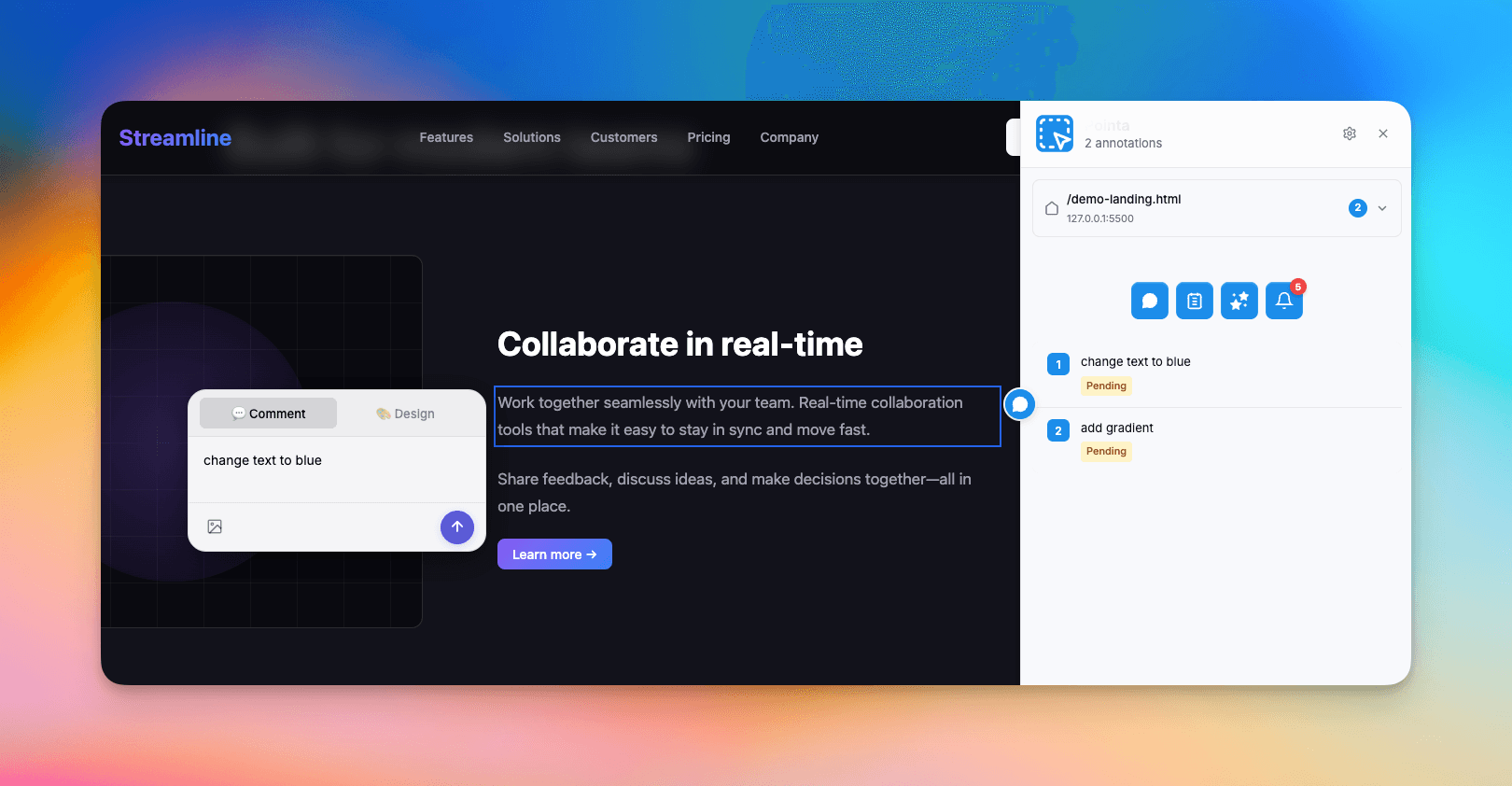
Precise Element Selection
Click any UI element to create a detailed annotation. The extension captures element structure, styling information, and context automatically. Add your feedback, attach screenshots, and let your AI coding assistant handle the implementation.
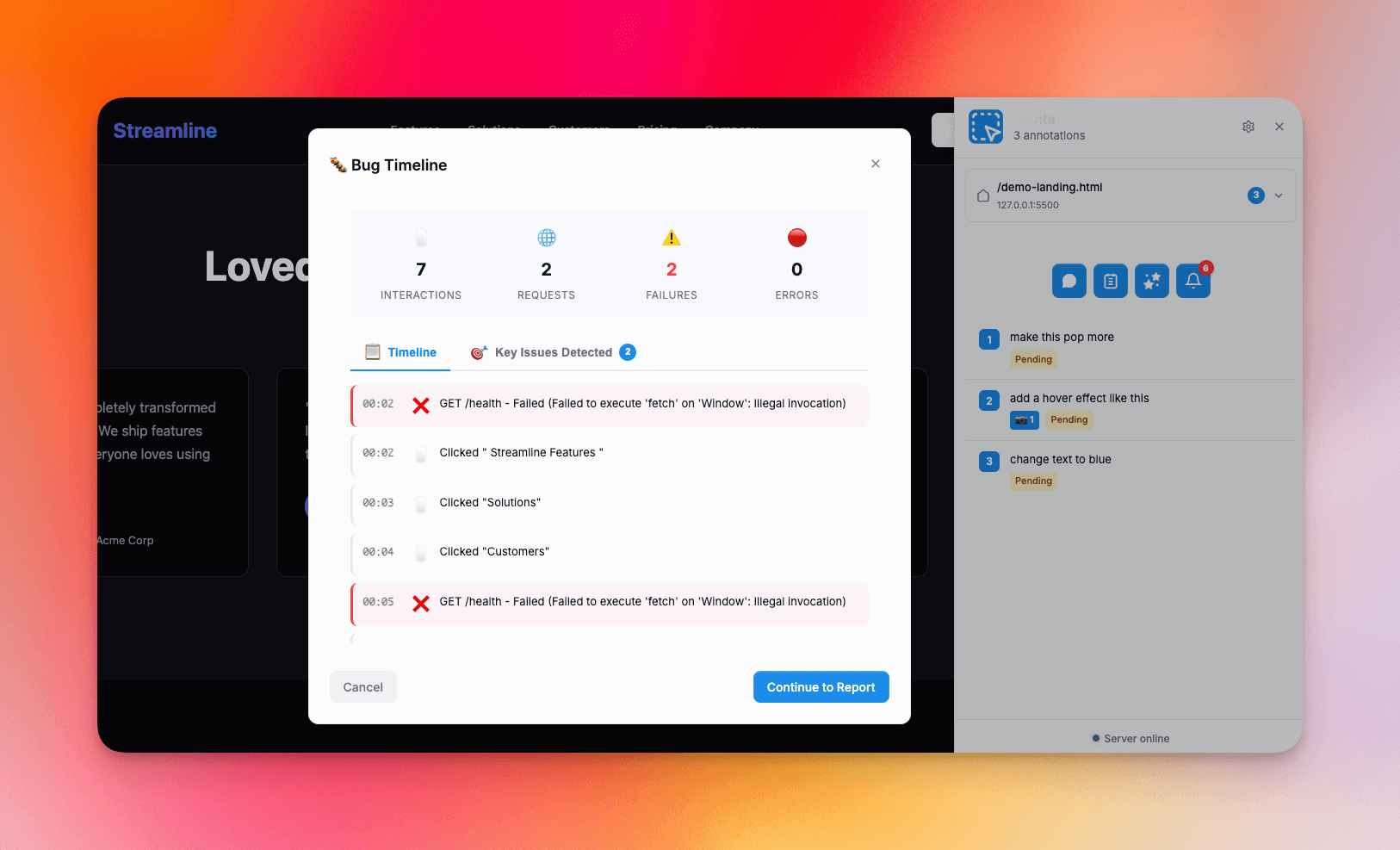
Complete Bug Timeline
Every bug report includes a full timeline of events: user interactions, network requests, console logs, and errors. See exactly what led to the issue. Your AI can analyze the entire context and suggest the root cause and fix.
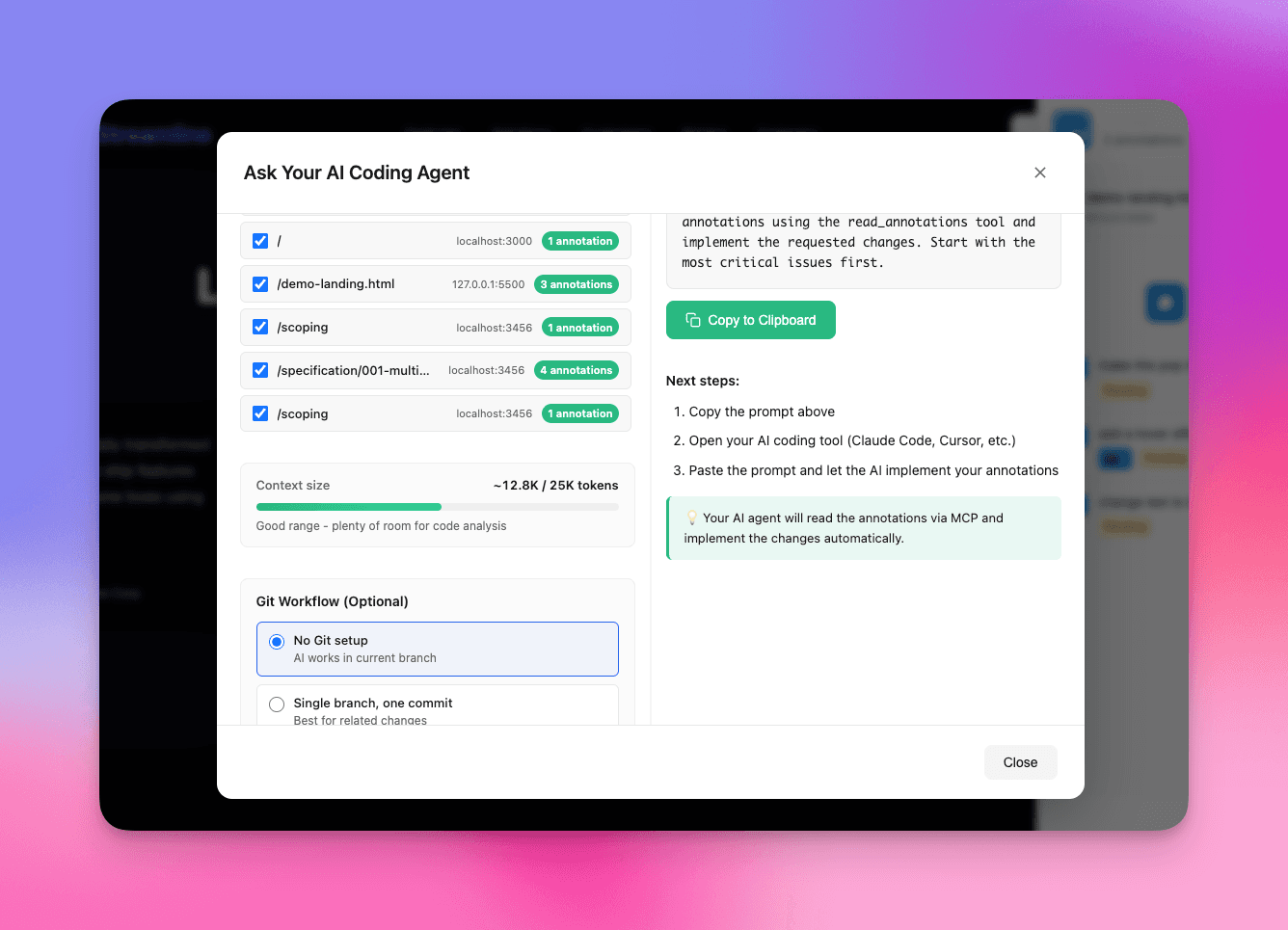
AI-Powered Analysis
Your AI coding assistant reads all annotations and bug reports through the MCP integration. It understands the context, analyzes the issues, and can implement fixes across your entire codebase. Process multiple annotations in one go.
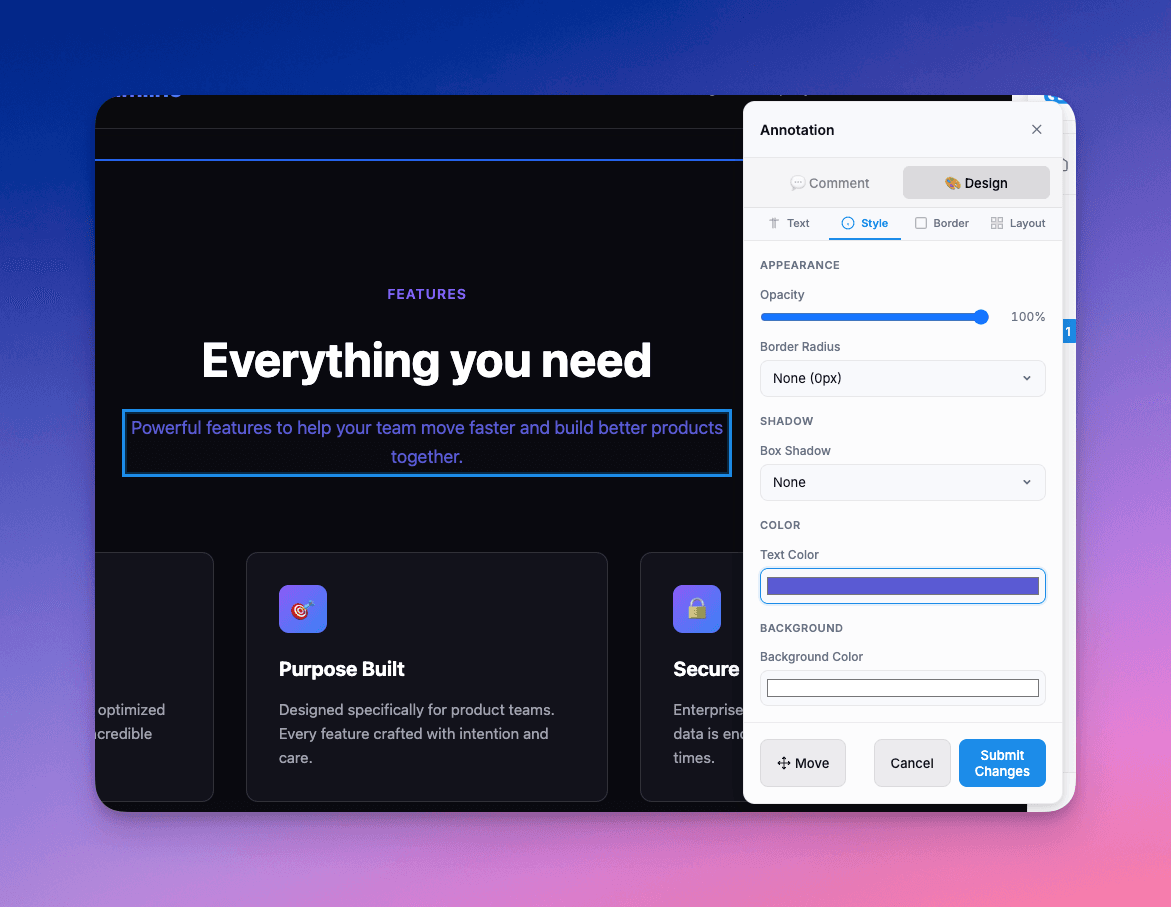
Real-Time Design Mode
Edit your localhost site visually with a built-in design editor. Change text, adjust colors, modify layouts, and tweak styles in real-time. When you're done, let your AI apply those exact code edits directly to your codebase - no manual implementation needed.
See it in action
Watch how Pointa streamlines your development workflow with visual feedback.
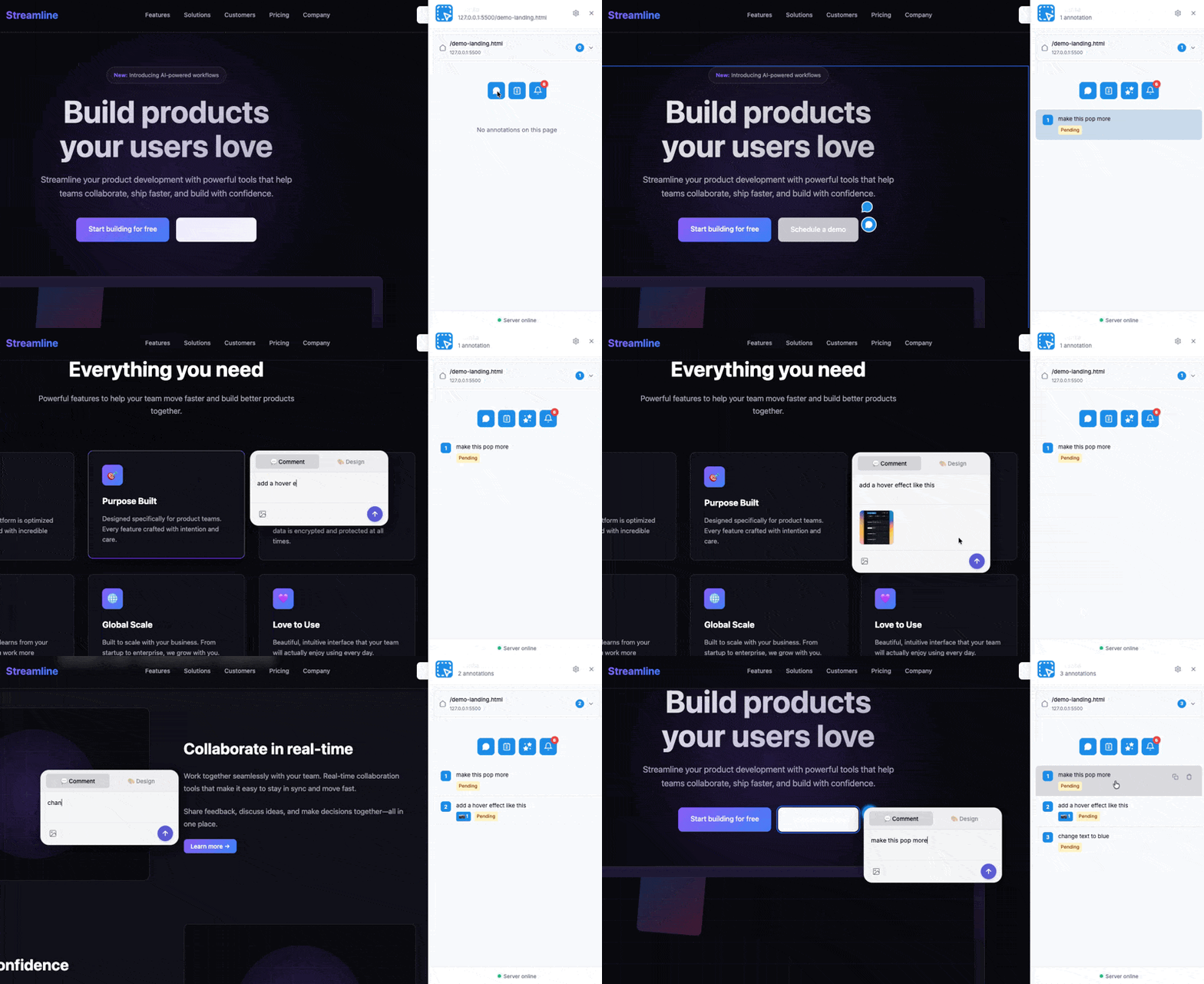
Click anywhere on your localhost to add annotations. UI tweaks, design changes, layout issues - mark it all. Comments stay anchored to the elements they reference.
Built for modern development workflows
Everything you need to streamline UI feedback and accelerate development.
Privacy-First Design
Everything stays on your machine. Works entirely with localhost and local files. No cloud uploads, no external tracking, no data collection. Your feedback remains private.
Instant Setup
Get started in under a minute. Install the browser extension, launch your dev server, connect via MCP, and start annotating. No API keys required, no account sign-ups, zero hassle.
AI-Agent Compatible
Integrates seamlessly with Claude Code, Cursor, Windsurf, and any coding assistant that supports MCP. Simple copy-paste installation gets you connected instantly.
Context-Aware Capture
Select any UI element to create an annotation. Your AI assistant receives complete context through the API: element structure, styling details, optional screenshots, and your specific feedback.
Bulk Feedback Processing
Leave feedback anywhere in your application. Capture issues across multiple pages and routes, then process everything together in one AI session. Handle up to 200 annotations simultaneously.
Zero-Latency Workflow
No round-trips to external servers means instant feedback capture. Work at the speed of thought with immediate response times. Perfect for rapid iteration cycles and maintaining development flow.
Works with the AI tool you already use
Cursor, Copilot, or any other AI coding tool. No vendor lock-in.




Your data never leaves your machine
Pointa runs entirely on your local environment. No cloud servers, no data collection, no third-party services. Everything stays between your browser, local server, and your codebase.
100% Local Processing
All data processing happens on your machine. No internet connection required for core features.
Your AI, Your Data
Works with your local AI tools (Cursor, Claude, etc.). Your annotations go directly to your AI, not ours.
Open Source
Inspect our code, verify our claims. Complete transparency about how your data is handled.
Ship faster. Build better.
Start annotating localhost visually and fixing with AI in bulk. Free and open source.
Frequently Asked Questions
Everything you need to know about Pointa