Pointa Documentation
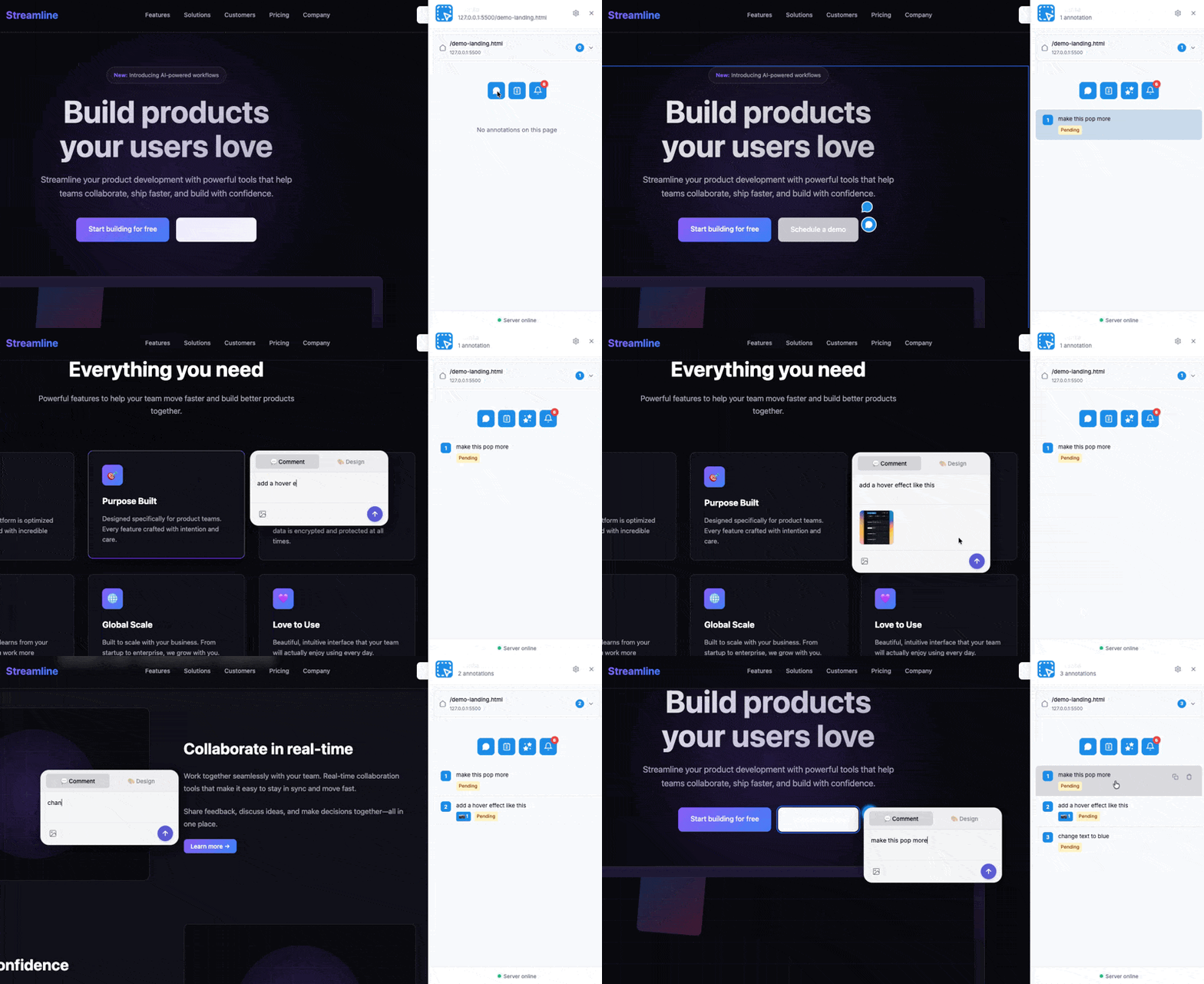
Welcome to the Pointa documentation. Pointa is a visual feedback tool for AI-powered development that lets you point, annotate, and have AI implement changes automatically.
Quick Navigation
| Section | Description |
|---|---|
| Getting Started | Install and set up Pointa in minutes |
| Features | Explore all Pointa capabilities |
| Integrations | Connect with Cursor, Claude Code, Windsurf, and more |
| Workflows | Common patterns and best practices |
| Reference | Commands, shortcuts, and troubleshooting |
| FAQ | Frequently asked questions |
What You Can Do with Pointa
Annotate UI Elements Visually
Click any element on your localhost page, leave feedback, and let your AI coding agent implement the changes. No more copying CSS selectors or describing which button you're talking about.
Edit Styles in Real-Time
Use Design Mode to visually edit margins, padding, colors, fonts, and more. See changes instantly, then submit them for AI to implement in your actual code.
Record Bugs with Full Context
Capture bugs with a complete timeline of console logs, network requests, and user interactions. AI gets everything it needs to understand and fix the issue.
Capture UI Inspiration
Browse any website and capture UI components with their CSS metadata. Use them as references when asking AI to build similar designs.
Prerequisites
Before you start, make sure you have:
- Node.js 18+ installed on your machine
- A Chromium-based browser (Chrome, Edge, Brave, Arc, etc.)
- An AI coding tool that supports MCP (Cursor, Claude Code, Windsurf, VS Code with compatible extension)
Get Started in 3 Steps
-
Install the Chrome extension from the Chrome Web Store
-
Configure your AI tool with the Pointa MCP server (see MCP Setup)
-
Start annotating on any localhost page and let AI implement your changes
How Pointa Works
Pointa consists of two main components working together:
┌─────────────────────────────────────────┐
│         Chrome Extension                │
│  - Visual annotation interface          │
│  - Element selection & highlighting     │
│  - Bug recording & design mode          │
└───────────────┬─────────────────────────┘
                │
                │ HTTP API (localhost)
                ▼
┌─────────────────────────────────────────┐
│         Local Server                    │
│  - MCP protocol for AI agents           │
│  - Stores annotations locally           │
│  - No cloud, fully private              │
└─────────────────────────────────────────┘
                │
                │ MCP Protocol
                ▼
┌─────────────────────────────────────────┐
│         AI Coding Agent                 │
│  (Cursor, Claude Code, Windsurf, etc.)  │
│  - Reads annotations via MCP            │
│  - Implements changes in your code      │
└─────────────────────────────────────────┘
All your data stays on your machine. Nothing is sent to external servers.
Need Help?
- Check the Troubleshooting guide for common issues
- Browse the FAQ for quick answers
- Report issues on GitHub